Wireless Cameras for Farm Buildings, Yards and Workshops
Wireless cameras suit farmyards and powered outbuildings, not open fields. How to get WiFi to the sheds, and what to cover first.
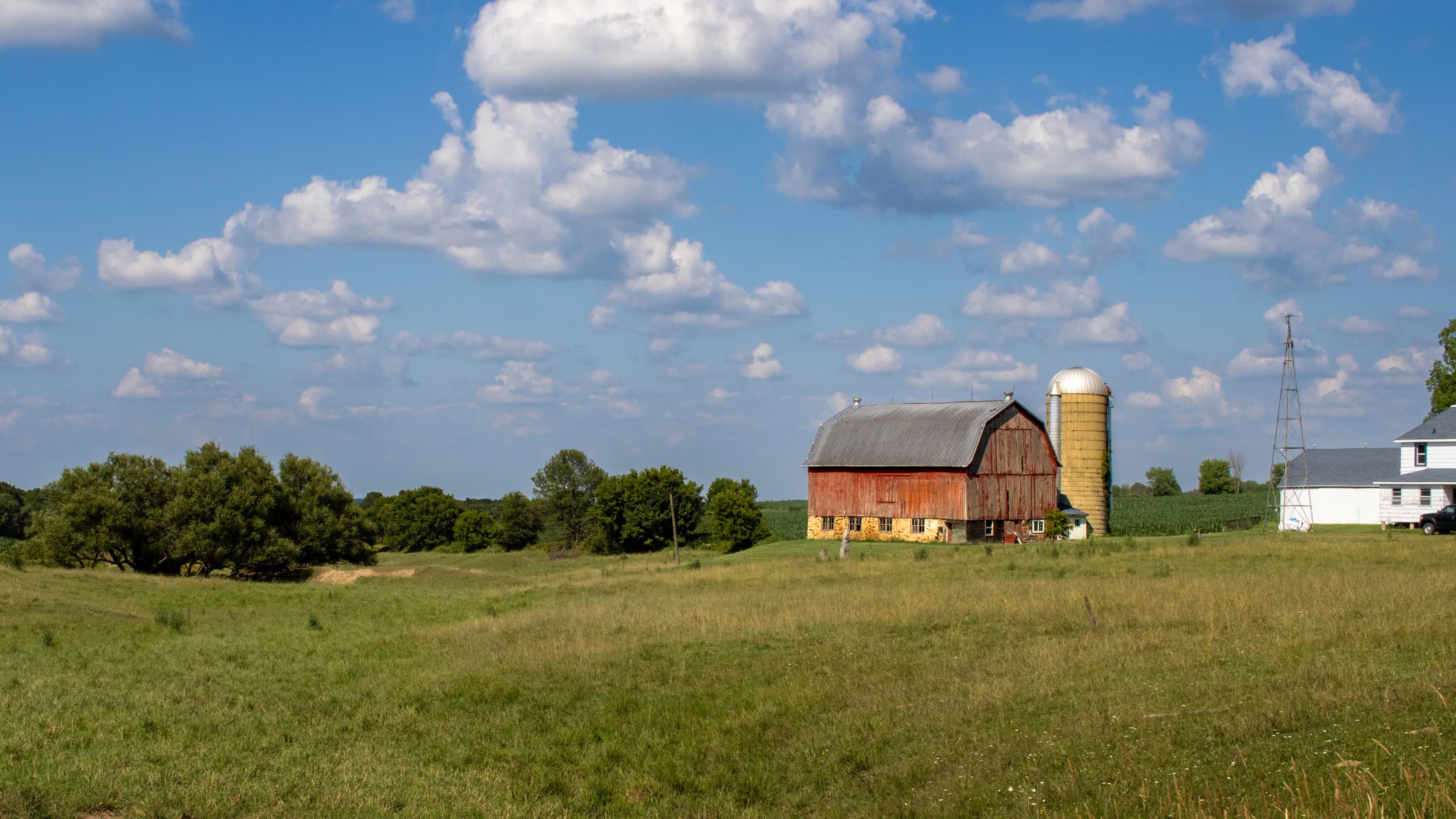
What matters in practice:
- Wireless works where buildings have power and the signal reaches — for gates, fields and far points, use solar or 4G.
- The network, not the camera, decides success — test WiFi in the outbuilding before you buy anything.
- Mix the two types — wireless in the yard, solar 4G at the gates, often in one app.
Wireless cameras work well on a farm where the buildings are close to the house or a router and have mains power. They don't work in the open field, and they fail in outbuildings where the WiFi never reaches. Knowing the difference saves you from buying cameras that sit offline.
The short answer
Use wireless for the farmyard and buildings that have power and can get a good WiFi signal. Use solar or 4G cameras for gates, fields and far points. Fix the WiFi first, because the network, not the camera, decides success.
Where wireless makes sense
- Farm yards near the main house
- Workshops, stores and machinery sheds with power
- Dairies, poultry houses, stables and pens close to the main building
- Packing, grading and processing areas
- Offices and farm shops
Where it doesn't
- Far fields, boundaries and gates with no power or WiFi (choose solar and 4G)
- Buildings made of metal or thick masonry that block signal
- Outbuildings far from the house with no power
Getting WiFi to the outbuildings
The usual problem isn't the camera but the signal. These are the main options, from simplest to most robust.
| Option | Good for | Watch out for |
|---|---|---|
| Move the router to a central, high position | Small yards | Limited reach |
| Add an outdoor access point on the house or barn | Medium yards | Needs power and a cable back to the router |
| Point-to-point wireless link between buildings | A building 50 metres or more away with a clear line of sight | Needs correct setup, and trees can block it |
| Run a network cable to the building, then WiFi locally | Important or distant buildings | Needs a trench or conduit |
Talk to a professional before buying many cameras for a large yard, because the network is the foundation of the system.
Built for farm conditions
Farms are tough on equipment. Look for:
- A good weather and dust rating (IP65 or higher is common)
- Housings that handle heat, rain and cold
- Mounts out of reach of animals and machinery
- Protection for cables from rodents, wheels and weather
- Easy-to-clean lenses
What to cover
| Spot | Why |
|---|---|
| Yard entrance | See everyone who enters |
| Fuel and chemical stores | High value and a safety risk |
| Machinery sheds | Costly theft target |
| Workshops and tool rooms | Tools are portable and valuable |
| Animal housing | Theft and welfare checks |
| Feed and produce stores | Theft and pests |
Mix wireless with solar
A practical farm setup uses both. Put wireless cameras on the yard and powered buildings. Put solar 4G cameras on the gates, tracks and far points. Many brands let both types appear in one app.
Practical tips
- Keep cameras above animal reach, and away from machinery paths
- Give each camera a clear name, such as "Machinery shed east"
- Use a recorder in a secure office, not in an outbuilding a thief can reach
- Back up power for the router and recorder
- Clean lenses regularly, especially in dusty seasons
Common mistakes
- Buying wireless cameras before testing WiFi in the outbuilding
- Mounting cameras where animals can reach them
- Running exposed cables that rodents chew
- Putting the recorder in the same building as the thing being protected
Frequently asked questions
Can one router cover the whole farm? Rarely. Use access points or links for outbuildings.
Do wireless cameras work in metal sheds? Poorly. Metal blocks WiFi, so place an access point inside or run a cable.
Can I watch the farm when I'm away? Yes, if the farm has internet. Without it, consider 4G models.
Our advice
Use wireless for the yard and powered buildings, and add solar or 4G cameras for gates and far points. The two types work well together.
Related reading
- Protecting a Farm with Solar Cameras
- Why Your Wireless Camera Keeps Dropping (and How to Fix It)
- Storage: SD Card, NVR or Cloud?
Next steps
Backspace Business Solutions designs farm CCTV layouts that mix mains, solar and 4G cameras around a network planned for the site, not guessed at.
Message us on WhatsApp or request a free site assessment if you would like us to check the signal at your outbuildings before you spend on cameras.
Frequently Asked Questions
How many cameras do I need for my business premises?▼
What is the difference between IP and analog CCTV systems?▼
How long is CCTV footage typically stored?▼
Can I access my CCTV cameras remotely?▼
What resolution should I choose for my security cameras?▼
Continue reading
More articles in CCTV & Surveillance →Not sure which of this applies to you?
Reading about a problem is not the same as knowing what yours actually is. The Solution Advisor asks a few questions about your environment and gives you a preliminary technical interpretation — what to check first, and what can probably wait.
Follow Backspace
Field notes from live projects in Kampala and beyond — new guides, failure post-mortems and pricing updates. Pick the channel you use.


